Overview
Rajasthan’s education sector demands labs that scale, stay online during power cuts, and meet strict internet‑filtering policies. This guide delivers a repeatable design for 30‑60 PCs, covering structured CAT6, rack cable management, UPS sizing, and a cost comparison between a centralized server and NComputing thin‑client architecture.
1. Physical Layout & Rack Planning
All equipment is housed in a 42‑U wall‑mounted rack (19‑inch). KAS Info Tech’s deployments at Rajasthan Police stations and Alwar Railway Station use the same rack footprint, ensuring serviceability and future expansion.
- Rack width: 600 mm (standard 19‑inch)
- Depth: 1000 mm – accommodates 2‑U UPS, 4‑U patch panel, 2‑U switch, and cable management bars.
- Location: Near the main classroom door for easy cable pull and minimal floor clutter.
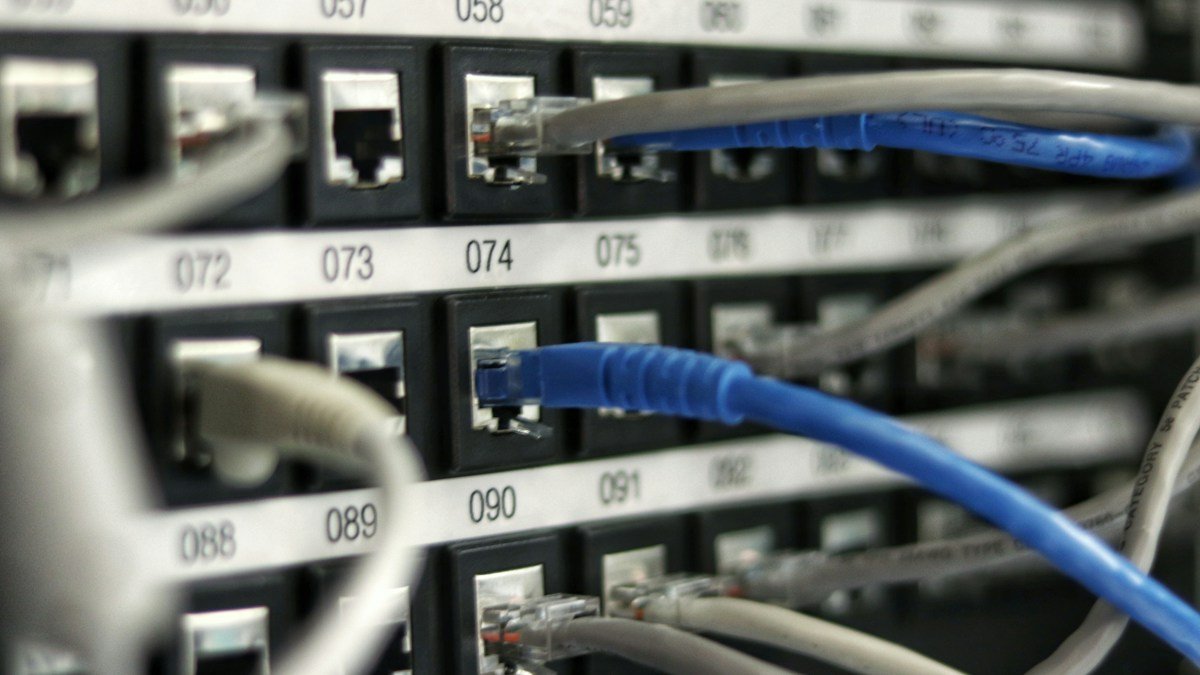
Cable Management Layout
| Component | U‑Space | Mounting Method |
|---|---|---|
| Patch Panel (48‑port Cat6) | 2 U | Horizontal mounting with rear cable manager. |
| Managed Switch (48‑port Gigabit) | 1 U | Front‑to‑back airflow, secured with rack screws. |
| UPS (Online, 2 kVA) | 2 U | Bottom‑mount with side‑panel cable entry. |
| Power Distribution Units (PDUs) | 1 U | Vertical mounting, rear‑cable routing. |
2. Structured CAT6 Cabling
For 30‑60 workstations, a star topology with a 48‑port patch panel eliminates daisy‑chain failures. Follow the 23‑meter maximum segment rule per TIA‑568‑C.
- Run a backbone conduit from the rack to the ceiling grid in each classroom.
- Terminate 4 mm² Cat6 solid cable in the patch panel (keystone jacks, IEC‑60984‑5).
- From the patch panel, use 1 m patch cords (Cat6, shielded) to each workstation’s wall outlet.
- Label every cable with rack‑side port number and classroom ID – KAS Info Tech’s field teams use laser‑etched labels for durability.
Estimated material cost (per 30‑PC lab):
- Cat6 bulk (500 m) – ₹12,000
- Patch panel (48‑port) – ₹8,500
- Keystone jacks (48 pcs) – ₹4,200
- Patch cords (48 pcs) – ₹3,600
- Conduit & trays – ₹6,000
Total cabling budget ≈ ₹34,300.
3. Power Design & UPS Sizing
All PCs (or thin clients) draw 65 W (desktop) or 25 W (thin client). Add 30 W per monitor, 10 W per network switch, and 15 W per UPS‑connected router.
| Item | Quantity | Power (W) |
|---|---|---|
| Desktop PC | 30 | 1,950 |
| Monitor (24") | 30 | 900 |
| Managed Switch | 1 | 30 |
| Router / Firewall | 1 | 15 |
| Total | 2,895 W |
Apply a 1.25 safety factor → 3,620 W. A 2 kVA online UPS (≈ 1,600 W) will sustain the lab for ~10 minutes, enough for graceful shutdown or generator start. For 60‑PC labs, double the UPS capacity to 4 kVA.
Typical UPS cost (2 kVA, 3‑year warranty): ₹45,000. Include a 10 A rack‑mount PDU (₹7,500) and surge‑protective inlet (₹2,200).
4. Server vs Thin‑Client Architecture
Two proven models are used across Rajasthan schools: a single 8‑core Linux server hosting 30 virtual desktops, or an NComputing LX‑300 thin‑client cluster. Below is a cost‑breakdown for a 30‑PC lab (prices include GST, 2026 rates).
| Component | Server‑Based (₹) | Thin‑Client (₹) |
|---|---|---|
| Compute hardware | ₹85,000 (Dell PowerEdge T340) | ₹120,000 (30 × NComputing LX‑300) |
| Licensing (OS & VDI) | ₹30,000 (Ubuntu + Open‑Source VDI) | ₹45,000 (NComputing CALs) |
| Power consumption (annual) | ≈ ₹45,000 | ≈ ₹25,000 |
| Maintenance (2 yr contract) | ₹12,000 | ₹9,000 |
| Total 2‑Year Cost | ₹172,000 | ₹199,000 |
Thin‑clients win on power efficiency and lower ongoing electricity bills, while a server offers greater flexibility for software labs (e.g., programming IDEs, simulation tools). KAS Info Tech has delivered both models for DMart warehouses (server‑based) and for Rajasthan Police training centers (thin‑client).
5. Bandwidth Management & Firewall Rules
Assume 30 concurrent users, each allocated 1 Mbps for educational content. A 30 Mbps ISP pipe is sufficient; allocate 10 % headroom → 33 Mbps.
- Deploy a Cisco Meraki MX68 (or equivalent) with built‑in content filtering.
- Create VLAN 10 for lab devices, VLAN 20 for admin staff.
- Outbound rules:
- Allow TCP 80, 443 to whitelisted educational domains (e.g., *.gov.in, *.khanacademy.org).
- Block P2P, gaming ports (UDP 3074, 6881‑6889).
- Rate‑limit YouTube to 2 Mbps per user during class hours.
- Enable DNS‑based SafeSearch and Google Safe Browsing APIs for real‑time filtering.
Configure daily bandwidth quotas (e.g., 2 GB per student) to prevent abuse.
6. Implementation Checklist
- Site survey – verify rack space, power source, and conduit routes.
- Finalize equipment list (rack, UPS, switch, patch panel, servers/thin clients).
- Place order with certified OEM partners (Hikvision, CP Plus, Cisco, Dell). KAS Info Tech’s ISO‑9001 processes guarantee delivery within 7 days.
- Install rack, mount UPS, PDUs, and patch panel.
- Pull CAT6 backbone, terminate, label, and test each link (TIA‑568‑B). Target <1 % packet loss.
- Configure switch (VLANs, QoS), firewall (rules, content filter), and DHCP scope (192.168.10.0/24).
- Deploy chosen compute platform – install OS, image workstations, and apply group policies.
- Run power‑fail simulation – verify UPS runtime and graceful shutdown scripts.
- Document as‑built diagrams, cable maps, and maintenance schedule.
- Hand over to school IT staff; provide 24/7 helpline (+91 80581 22233) for post‑deployment support.
7. Total Cost Snapshot (30‑PC Lab)
- Cabling & Rack: ₹55,000
- UPS & Power Distribution: ₹55,000
- Networking (Switch + Firewall): ₹45,000
- Compute Platform (Server‑Based): ₹172,000 (2‑yr total) or Thin‑Client: ₹199,000 (2‑yr total)
- Installation & Commissioning (KAS Info Tech): ₹30,000
Grand total (server model): ≈ ₹457,000. Thin‑client model runs ≈ ₹484,000. Prices reflect 2026 market rates and include GST.
Conclusion
Following this blueprint yields a lab that stays online during outages, complies with Rajasthan’s internet‑safety mandates, and scales to 60 workstations without rewiring. KAS Info Tech’s ISO‑9001‑certified processes, proven deployments across police stations and industrial corridors, and 24/7 helpline ensure the project moves from design to operation without surprise costs.